Full-text search
Find files by name or by what’s inside — extracted PDF text, Word, Markdown, and OCR output — with a fast local index.
Catalogue PDFs, Word and text on your PC. Search extracted and OCR’d text, merge and encrypt files, and summarise locally — no cloud, no subscription.
Available now on the Microsoft Store, with a fully functional 7-day free trial.
Everything you need
AIDA indexes folders you choose. Originals stay on disk. The catalogue lives in local app data.
Find files by name or by what’s inside — extracted PDF text, Word, Markdown, and OCR output — with a fast local index.
Add folders and AIDA scans recursively. Files stay where they are; the library is a catalogue, not an import.
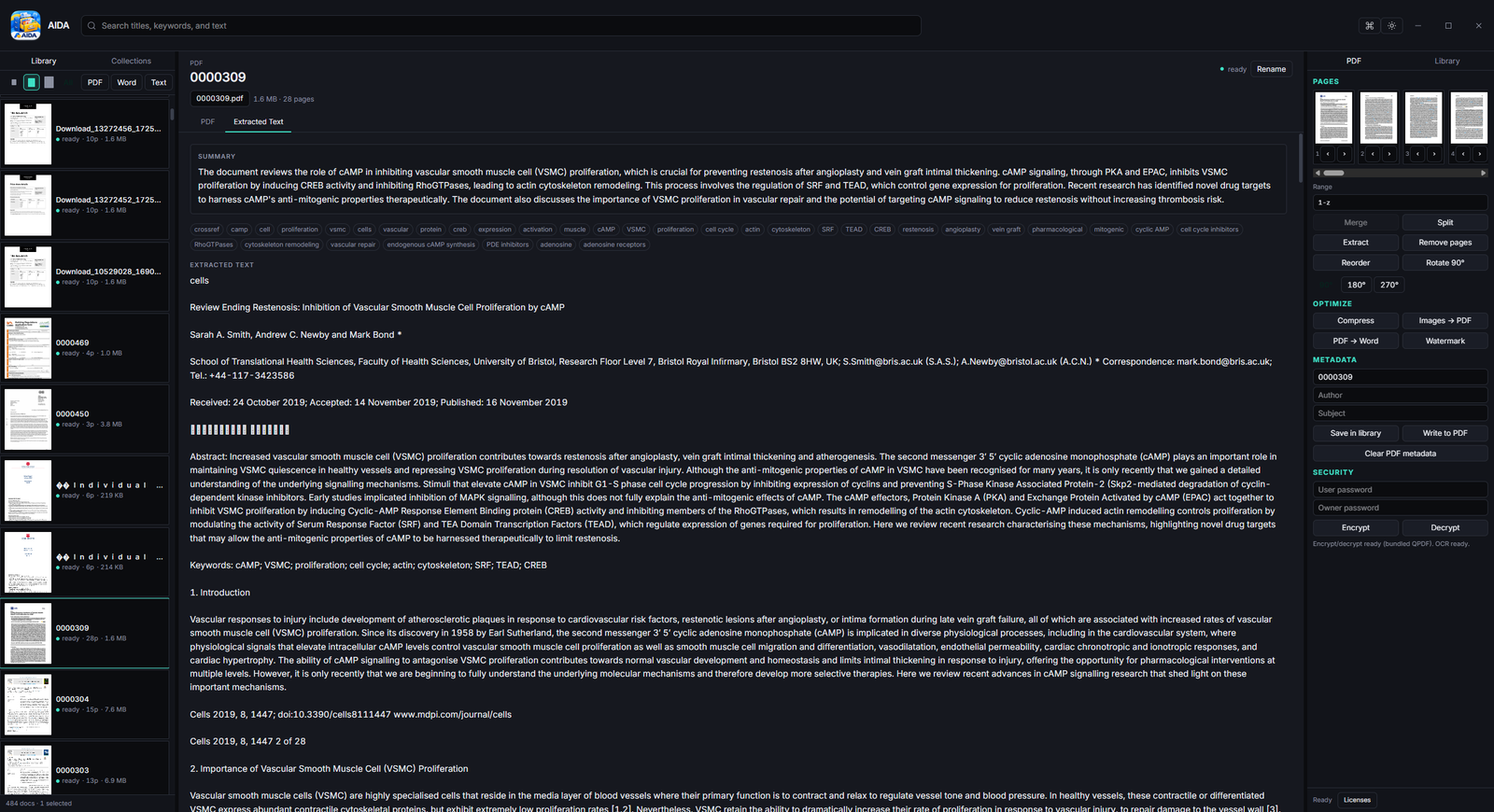
Tesseract turns image-only PDFs into searchable text. Re-run OCR, pick a language, and find hits inside a file with Ctrl+F.
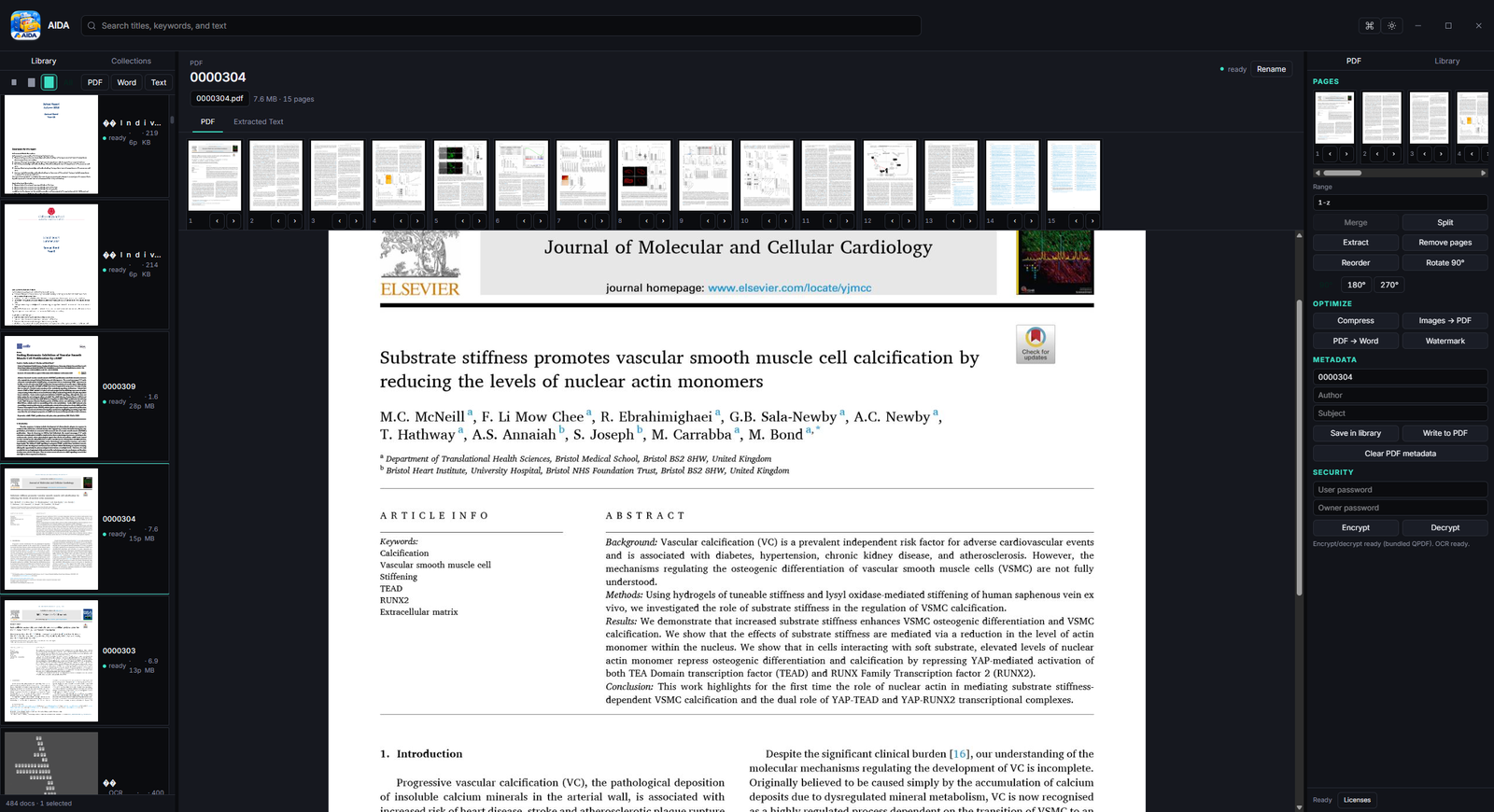
Merge, split, extract, rotate, reorder, compress, flatten, linearize, watermark, encrypt, and redact — powered by QPDF on your machine.
Export extracted text to a .docx when you need a working copy, without sending the file anywhere.
Group related files into collections and tag them so planning, legal, or tax piles stay findable.
Phi-4-mini runs on your PC to draft summaries and to answer questions about the file you have open. Nothing is sent to a cloud API.
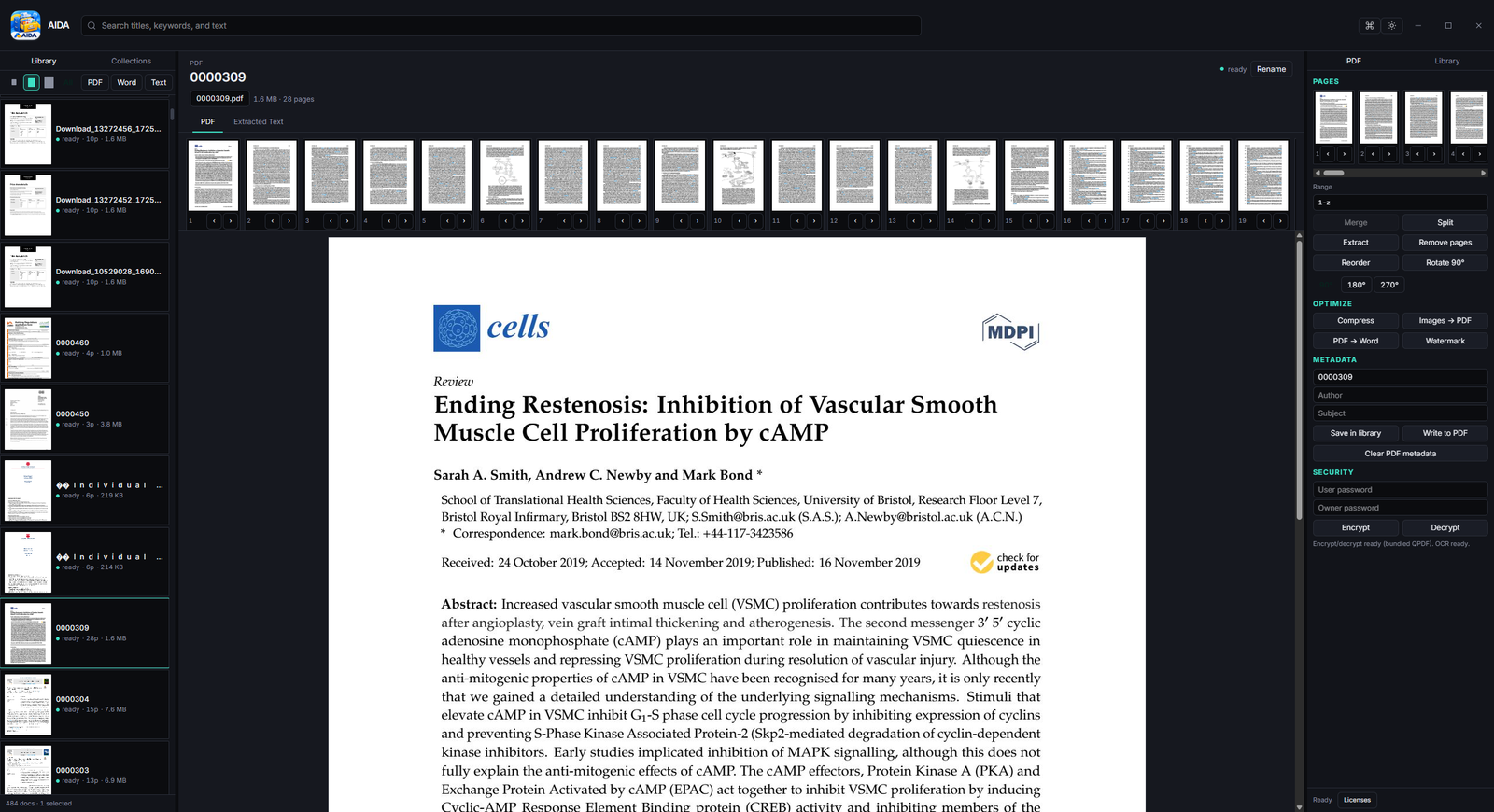
Read PDFs page by page in the centre pane, with a filmstrip for jumping around large files.
No account. No telemetry. No vendor cloud for your library. Back up aida.db whenever you like.
File types
AIDA catalogues these types from your folders. Files stay where they are — nothing is imported into a proprietary vault.
PDF — native preview, text extraction, OCR for scans, and QPDF tools (merge, split, encrypt, watermark, compress). Encrypted PDFs need the password you already have.
Word — .docx text is extracted for search, with a formatted preview in the centre pane. Legacy .doc is not indexed.
Spreadsheets & mail — Excel/CSV cells and .eml/.msg bodies are indexed for search. Outlook .msg uses a best-effort text extract.
Under the hood
A native desktop app with a web-quality UI. No Electron. No bloat. Just speed.